

Cheap CDN vs. Premium CDN: What’s the Real Difference? A Straight-Talk Breakdown with Real Tests
As your site grows, you’ll likely notice: cheap CDNs work, but buckle under traffic spikes and attacks. Premium CDNs deliver more reliable nodes, speed, and stability. This post uses real test data to break down the gaps and help you choose the right CDN for your business.


If you’ve been running websites or online projects in recent years, you’ve probably noticed something:
CDN pricing is all over the map.
Cheap ones go for $0.01–$0.05 per GB;
expensive enterprise plans can run hundreds or thousands per month.
A lot of people ask me:
“Aren’t CDNs just caching and pulling from origin? How can they differ so much?”
If you’ve actually used both—you know the difference is huge.
I’ve been in cybersecurity for over a decade, helped countless clients tune their CDN setups, and run plenty of speed tests along the way. Here’s what I’ve learned:
CDN pricing isn’t about features—it’s about underlying capability.
Below, I’ll skip the jargon and break it down in plain English:
Where cheap CDNs and premium CDNs really differ.
1. The cheap CDN mindset: “If it runs, it’s good enough.”
Cheap CDNs are built around cost-cutting.
Plain and simple: if it works and accepts requests, it passes.
Here’s what you typically get:
1) Few nodes, poor distribution
A cheap CDN often has:
- A handful of data centers in major cities
- Some rented servers
- Minimal overseas nodes or low-tier networks
Access from Beijing might be okay,
but from Jiangsu, Sichuan, or Yunnan—latency can jump to 200ms.
Overseas? Forget it. Some cheap CDNs route Hong Kong traffic through the U.S. and back—slow as molasses.
2) Low bandwidth, chokes under load
Single-node bandwidth on cheap CDNs is usually:
- A few Gbps
- Maybe tens of Gbps on a good day
- Rarely reaches 100 Gbps
Once evening traffic spikes hit, nodes start lagging, queuing, dropping packets.
You might blame your server—but it’s the CDN getting squeezed.
3) Watered-down BGP, or fake BGP
Cheap CDNs love advertising “BGP nodes.”
Check the routing, and you’ll find:
- Dual-line “fake BGP” setups
- Triple-line patchworks
- Or just single-carrier routes, forcing others to detour
In a multi-carrier country like China, this mix leads to:
Some provinces flying, others crawling.
4) Weak caching, struggles with dynamic content
Cheap CDNs often use:
- Low-cost cache disks
- Average IO performance
- Limited hot-content handling
Once your site involves anything dynamic—like:
- API calls
- Login actions
- Personalized pages
The CDN’s forwarding load spikes, and performance tanks.
5) Little to no protection
The “protection” on cheap CDNs basically means:
Can handle a bit of junk traffic
(think tens of Gbps)
But when real attacks hit—
- CC floods
- SYN floods
- TLS handshake attacks
- HTTP/2 RST attacks
- Large DDoS floods
- Distributed AI-variant traffic
Cheap CDNs usually:
Get knocked into blackhole routing, or just tell you to “upgrade your plan.”
Bottom line:
Cheap CDNs work for pure static sites to “sort of speed things up,” but aren’t built for serious business.
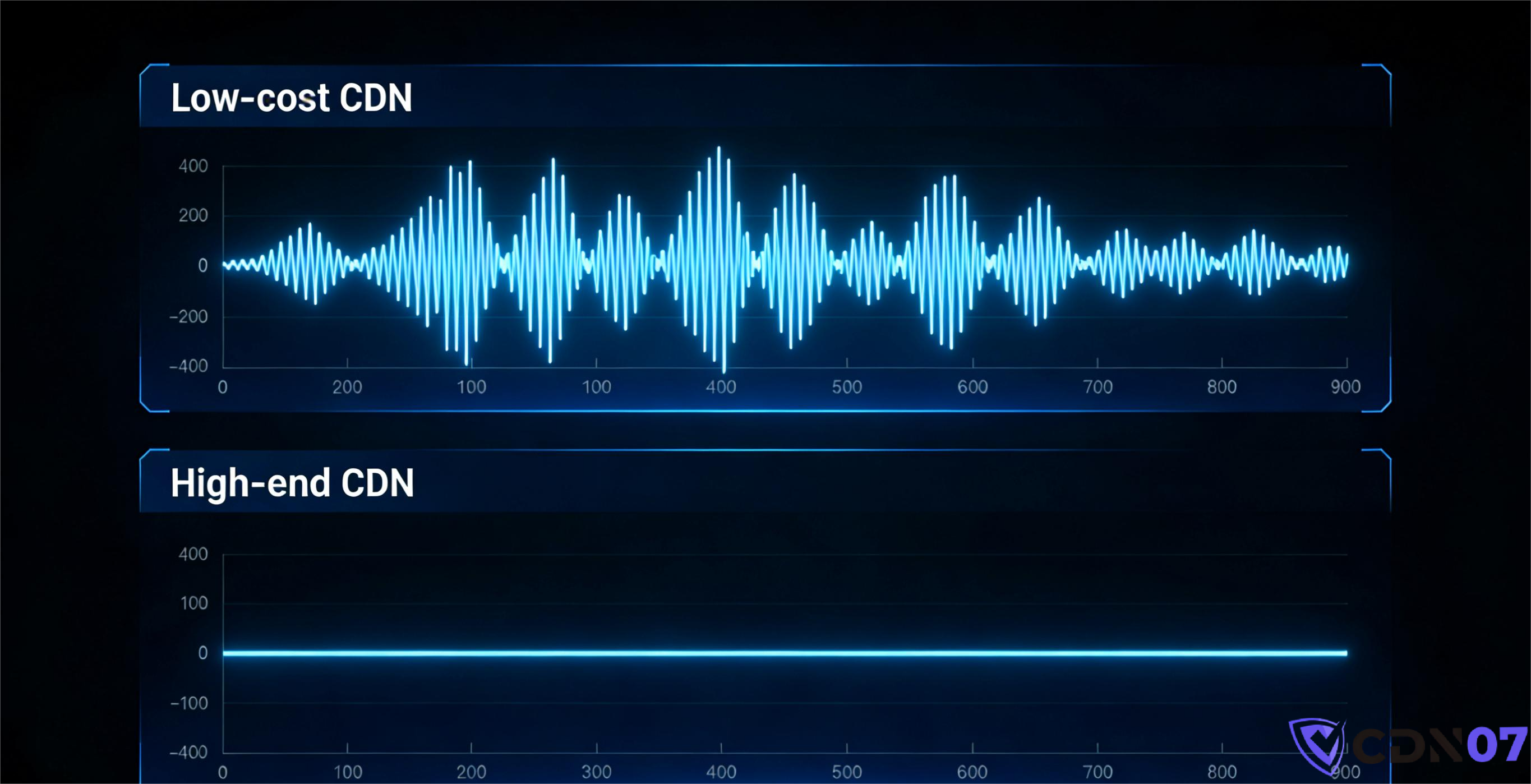
2. The premium CDN mindset: Stable, fast, resilient, reliable
Why are premium CDNs expensive? Because they’re engineered for business stability.
The difference is obvious.
1) Many nodes, wide coverage, high quality
Premium CDN nodes usually offer:
- Multi-province/multi-country distribution
- High node count, tier-3+ data centers
- Real BGP / Anycast routing
- Direct carrier peering, backbone access
Think of it this way:
Cheap CDN = country roads. Premium CDN = highways.
Both move traffic, but speed and experience are worlds apart.
2) Massive bandwidth reserves—stable even at peak
Single-node bandwidth on premium CDNs often starts at:
- 100 Gbps minimum
- 300 Gbps – 1 Tbps for better nodes
- Several Tbps+ for global Anycast networks
With this architecture, evening traffic surges don’t cause lag or packet loss—just smooth performance.
For video, downloads, or high-bandwidth services, premium CDNs really shine.
3) Real BGP / Anycast, smart traffic steering
Premium CDNs aren’t patched-together multi-carrier mixes—they offer:
- Carrier-grade BGP
- Metro-area direct connections
- Global Anycast back to origin
- Smart routing based on user location
- AI-driven path optimization
Shaving 20–60ms off routes is normal.
4) Powerful caching, handles dynamic requests well
Premium CDNs use:
- NVMe SSD caching
- Proprietary caching algorithms
- Hot-content write optimization
- Static/dynamic separation
- Dynamic acceleration (QUIC, HTTP/3)
- Edge compute capability
What this means:
Even dynamic APIs and multi-request workflows run smoothly.
5) A key differentiator: Real security
Premium CDNs come with full security stacks:
- Multi-layer DDoS scrubbing (Tbps-scale)
- AI threat detection (normal vs. malicious traffic)
- HTTP/2 attack mitigation
- CC rate-limiting with intelligence
- Behavior analysis + challenge systems
- Bot management
- TLS fingerprinting
During high-volume attacks, premium CDNs can:
Keep real users unaffected—business as usual.
Cheap CDNs often tremble at 10–20 Gbps attacks.
3. A real test I ran: Same site, different CDN—how much difference?
I once helped a short-video download site (anonymous here) with ~100k daily PVs, 80% file requests.
We tested two CDNs:
- A: Cheap CDN, ~$0.03/GB
- B: Premium CDN, ~$0.13/GB
Three days of testing gave us these core metrics:
| Metric | Cheap CDN | Premium CDN |
|---|---|---|
| Avg latency (domestic) | 85ms | 31ms |
| Overseas access (North America) | 280ms | 140ms |
| Peak-hour packet loss | 3% | Below 0.1% |
| Download speed | Unstable, fluctuates | Steady, like direct connect |
| Peak concurrency | Easily choked | Stable |
| Bandwidth usage | Nodes often saturated | Ample headroom |
| Cache hit rate | 70% | 93% |
| CC attack resistance | Goes down under attack | Minimal impact |
The clearest takeaway:
Premium CDNs absorb traffic spikes—performance stays consistent.
Cheap CDN logic: “Feels fast when traffic is light.”
Premium CDN logic: “Stays fast no matter the load.”

4. Cheap CDN = bike sharing. Premium CDN = private car service.
This is my favorite analogy.
Cheap CDN = Public bike sharing
- Cheap
- Gets you there
- No bikes during rush hour
- How far you get depends on luck
Premium CDN = Private car / ride service
- Better service
- Faster
- Available even at peak times
- Driver reroutes if there’s trouble
So cheap CDNs fit:
Personal blogs, low-traffic sites, simple static projects.
Mid-to-large projects, serious business platforms? Cheap CDNs won’t cut it.
5. When should you absolutely use a premium CDN? (Key section)
If any of these apply, go premium:
① Your traffic has sharp peaks (flash crowds, spikes)
E-commerce, download sites, live-stream landing pages—all generate instant traffic surges.
Cheap CDNs can’t handle it.
② Heavy API / dynamic request loads
Examples:
- Mini-program APIs
- App backends
- Login systems
- Comment engines
- User profile pages
Cheap CDNs stutter under dynamic forwarding.
③ Your business is attack-prone
Anything involving:
- User accounts
- Payments
- Content
- Rankings
- Flash sales
- E-commerce
- Gaming
- Short links
- Video streaming/parsing
will likely get targeted.
Premium CDN security—AI scrubbing, behavior analysis, TLS fingerprinting—makes a clear difference.
④ You serve global users
Cheap CDN “global acceleration” is barely there.
Premium CDN global Anycast is what actually works overseas.
⑤ You care about site/business “reputation score”
Google SEO, user retention, ad conversion—all rely on:
- Page load speed
- Uptime
- No drop-offs
Cheap CDN instability hurts SEO and business metrics.
6. How to choose? Here’s a simple guide.
If your business matches any below, choose premium CDN:
If you’re just:
A cheap CDN is fine.
In short: Pay for stability, or trade time for patchy performance. It’s a business call.
Cheap CDN vs. Premium CDN: Core Performance Comparison
| Metric | Cheap CDN | Premium CDN |
|---|---|---|
| Avg domestic latency | 70–120ms, unstable | 25–40ms, steady |
| Overseas (North America) | 200–350ms | 120–170ms |
| Peak-hour packet loss | 1%–5% | <0.1% |
| Single-node bandwidth | Typically 5–20 Gbps | 100 Gbps – 1 Tbps+ |
| Speed during peaks | Often drops | Hardly noticeable |
| Cache hit rate | 60%–75% | 90%+ |
| Dynamic request latency | 150–300ms, spikes high | 40–80ms |
| CC attack resistance | Easily overwhelmed | AI scrubbing, stays up |
| Large DDoS resistance | Risky at 20–50 Gbps | 500 Gbps – multi-Tbps scrubbing |
| Network quality | Mixed lines, varies by region | Direct carrier + BGP/Anycast |
| Business stability | Unstable under high load | Handles peaks, events, no sweat |
| Best for | Personal blogs, small sites | Enterprises, platforms, global users, high concurrency |
7. CDN pricing: You’re paying for “stability” and “foundational power.”
Most people see CDNs as just “caching,” but real performance comes from:
- Node quality
- Network routes
- Bandwidth reserves
- Traffic steering
- Security capability
- Dynamic handling
- Global Anycast
- AI attack scrubbing
That all costs real money.
So the price gap isn’t random—it’s inevitable.
As a network security engineer with over a decade in the field, I’ll say this straight:
What defines your online experience isn’t features—it’s foundational capability.
Cheap vs. premium CDN isn’t about “expensive or not”—it’s about “can it handle your business pressure?”
If your site needs to stay up, handle traffic, and resist attacks—a few-cents-per-GB CDN won’t cut it.
FAQ
Q1: Are cheap CDNs totally unusable?
Not unusable—just not built for pressure. For low-traffic static sites with no logins, APIs, or peaks, cheap CDNs work fine. But for business, payments, APIs, or apps—any spike or attack exposes their limits.
Q2: Where does the money go for premium CDNs?
Mainly:
- Node count, data center tier
- Direct carrier peering, BGP/Anycast
- Large bandwidth reserves
- Scrubbing centers
- AI security, TLS fingerprinting, bot management
- Node hardware (NVMe, memory, servers)
That’s real investment—and the stability you feel is the value.
Q3: Any simple way to decide which to pick?
If your business meets any of these, go premium:
- Clear daily traffic peaks
- Has app / mini-program APIs
- Been attacked before
- Focus on SEO / growth
- National (not just local) users
- Overseas users
- Any logins, accounts, payments
If one or more apply, cheap CDNs will struggle.
Q4: Will static sites have issues on cheap CDNs?
Generally no.
Static sites (blogs, portfolios) are the comfort zone for cheap CDNs.
Q5: How can I tell if a CDN is stable?
Check three things:
- Does speed drop during peak hours?
- Does it offer Anycast / real BGP peering?
- Does it have AI scrubbing & DDoS protection?
If yes to all three, you’re looking at a premium-tier CDN.
Share this post:
Related Posts

How to Choose a DDoS-Protected CDN for Mainland China: Speed and Security Guide
How can websites hosted overseas improve access from Mainland China without compromising DDoS protec...

What to Do When Your Website Is Slow: A Practical Guide to Troubleshooting DNS, TTFB, and Resource Loading
Why is your website slow to load? This guide walks through DNS resolution, connection setup, TTFB, i...

Why Online Card and Board Games Need an SDK-Based Game Shield for DDoS Protection
Online card and board games face persistent security risks, including DDoS attacks, HTTP floods, che...