

How a DDoS-Protected CDN Helps Prevent Website Hijacking
Unexpected redirects, injected ads, or problems limited to certain networks? Learn how DNS security, end-to-end HTTPS, WAF, origin access controls, and front-end integrity checks help identify and prevent website hijacking.

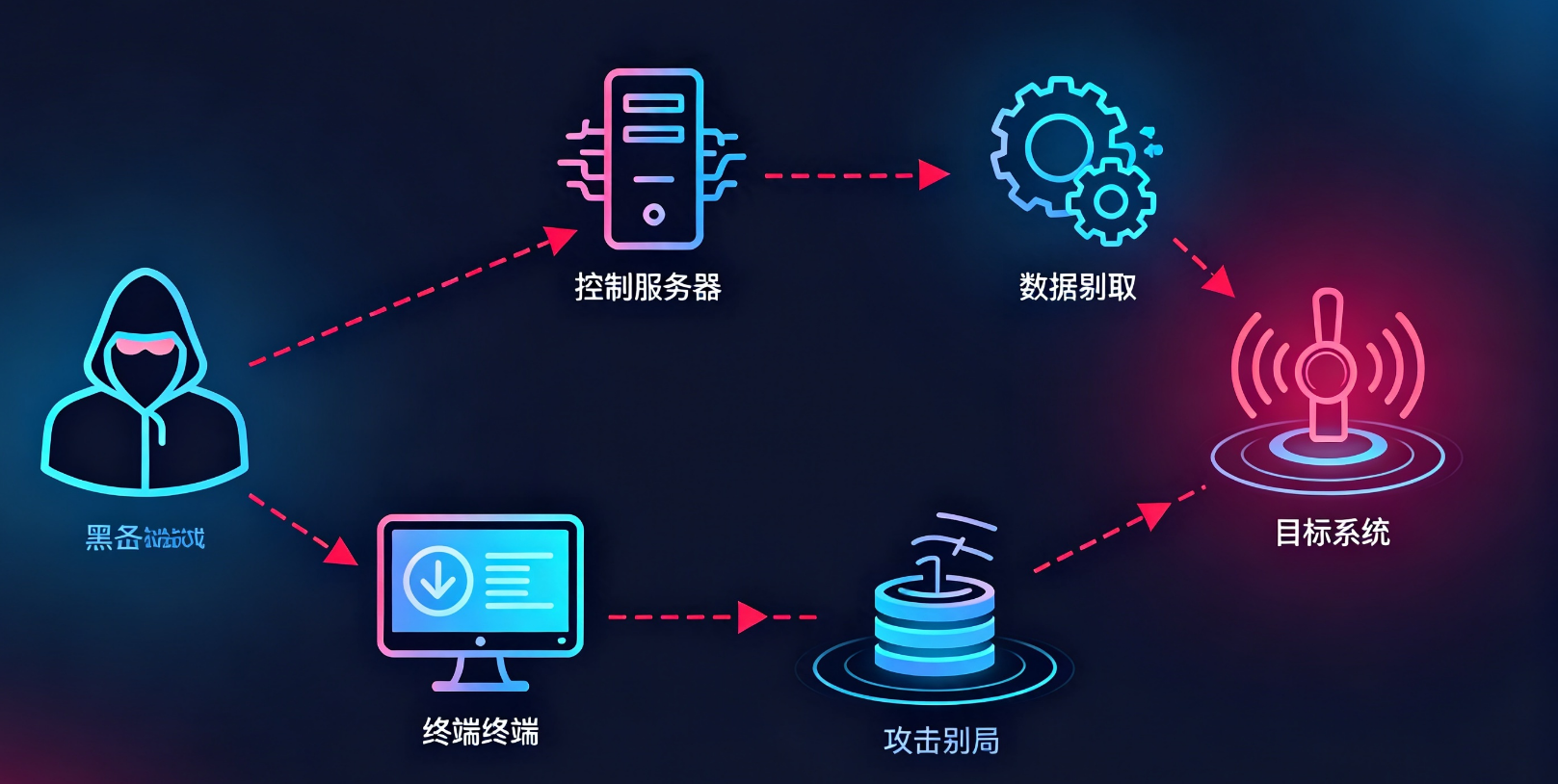
Users report that your website redirects to an unfamiliar page, yet it looks normal when an administrator opens it. Or the homepage is still there, but ads and download buttons have suddenly appeared. These problems are often grouped under “website hijacking,” although their causes may lie in very different places.
A DDoS-protected CDN can help prevent some forms of hijacking, but DNS security, HTTPS, application protection, and origin protection must also be configured. DDoS traffic scrubbing primarily keeps a website available. It cannot automatically fix a compromised domain account, modified application code, or a malicious third-party script.
Identify where the problem occurs before deciding whether a CDN deployment, a rule change, or an origin fix will help most.
First, what does the reported “website hijacking” actually look like?
Between entering a domain and viewing a page, a browser resolves DNS, connects to a server, retrieves the page, and runs scripts. A problem at any of these steps can make users see content they did not expect.
| Common symptom | What to investigate | How a DDoS-protected CDN can help |
|---|---|---|
| The domain resolves to an unauthorized address | Unexpected DNS responses, modified records, or a compromised domain account | Point the domain to the correct CDN entry point; DNS integrity still depends on DNS and account protection |
| Ads or redirects appear on an HTTP page | Modification in transit over an unencrypted connection, or a problem in the original page | Use HTTPS to reduce the risk of in-transit tampering |
| HTTPS works, but the page contains malicious content | Origin application, database, publishing workflow, or third-party scripts | A WAF can reduce some avenues of compromise; modified content still needs to be fixed |
| The origin looks normal, but the page changes through the CDN | Redirect rules, edge processing, cache, or CDN account | Review configuration changes, rules, and cache; restore trusted content |
| Only one device or browser is affected | Extensions, proxies, malware, or local settings | Website protection cannot replace an endpoint investigation |
| Redirects happen only on mobile, from search, or on a first visit | Scripts or server-side logic triggered by device, referral source, or session | Record the triggering conditions and compare requests with page code |
This table narrows the investigation; a symptom alone is not a diagnosis. Different IP addresses in different regions may reflect normal CDN routing. An HTTP 302 may be part of a legitimate login flow.
The question is which step introduced an unauthorized address, rule, or piece of content.
How do you keep DNS from sending users to the wrong destination?
After a CDN deployment, the domain should direct users to the CDN as the provider specifies. A CNAME is a common approach, though some products use proxied DNS or other methods.
Changing a CNAME does not, by itself, secure DNS. A compromised registrar account, leaked DNS platform credentials, or a forged response received by a user can still divert traffic.
Protect DNS accounts and control of the domain
Registrar, DNS platform, and CDN console accounts are all important administrative entry points. Enable multifactor authentication for each, assign permissions by role, remove departed employees' access, and give automation API tokens only the permissions they need.
Monitor changes to NS, A, AAAA, and CNAME records and related settings. NS records determine which authoritative DNS servers serve the domain; checking a single A record is not enough.
A domain transfer lock can reduce unauthorized transfers, but it does not necessarily prevent all DNS record changes. Confirm the scope of each locking mechanism.
DNSSEC authenticates DNS data; it does not encrypt web pages
DNSSEC uses digital signatures to help verify the origin and integrity of DNS data. ICANN's explanation of DNSSEC describes how signatures and a chain of trust let validating resolvers detect tampered data.
It works only when the domain is signed, the relevant records in the parent delegation and the validation chain are correct, and the user's resolution path actually validates responses. Mismatched configuration can break resolution, so coordinate the relevant records carefully when switching DNS providers.
DNSSEC also cannot stop someone with legitimate administrative access from changing records. If an account is compromised, an attacker may alter DNS through the normal management process. Use DNSSEC alongside account protection.
Which two connections need HTTPS?
A DDoS-protected CDN typically creates two separate connections:
- Between the browser and the CDN;
- Between the CDN and the origin.
HTTPS in the browser shows that it established a secure connection to the endpoint it reached. It does not prove the CDN uses HTTPS to connect to the origin.
Encrypt and authenticate the origin connection, too
If the browser-to-CDN connection is encrypted but the CDN fetches origin content over HTTP across the public internet, the second leg remains unencrypted. For login, orders, APIs, and other sensitive applications, use HTTPS to the origin and validate its certificate correctly.
Certificate validation includes expiration, trust, and hostname checks. Cloudflare's Full (strict) mode documentation distinguishes an encrypted connection from stricter origin certificate requirements. Other providers may use different mode names and accept different certificates; consult their documentation.
The origin address, HTTP Host header, and Server Name Indication (SNI) in the TLS handshake must also match the origin configuration. Connecting to an IP address does not make hostname validation optional. Fix certificate errors rather than leaving verification disabled.
HSTS reduces the chance that a browser falls back to HTTP
HTTP Strict Transport Security (HSTS) is a browser security policy. Once a browser receives a valid policy over a secure connection, it enforces HTTPS for that host during the policy's lifetime.
After HTTPS is working reliably, you can begin with a short lifetime on a test domain or limited traffic, such as this HTTP response header:
Strict-Transport-Security: max-age=300The value 300 means 300 seconds and is suitable only for initial testing. Increase it gradually under a production rollout plan after verification. Do not add includeSubDomainsunless the relevant subdomains all have reliable HTTPS service.
As the MDN HSTS documentation notes, ordinary HSTS generally takes effect only after the browser first establishes a secure connection and receives the header. Preloading can address this first-visit limitation but has additional requirements.
HSTS governs how the browser connects. It cannot restore a compromised website or prevent harm from malicious scripts that already have permission to run on the page.
How do WAF and origin protection reduce the risk of site tampering?
Another kind of “hijacking” does not occur in transit: the server itself returns malicious code. HTTPS will then deliver that code intact to the browser.
Common entry points include vulnerable content management systems, outdated plugins, stolen admin passwords, unsafe file uploads, and compromised publishing credentials. Focus protection on application entry points and administrative access.
Block risky requests at the edge and fix the application
A web application firewall (WAF) can use rules to identify some SQL injection, cross-site scripting, path traversal, and suspicious upload requests, reducing opportunities to exploit vulnerabilities. It cannot detect every variation or replace code fixes and dependency updates.
If an attacker has valid admin credentials and changes the homepage through normal controls, attack-signature matching alone may not catch it. Admin permissions, login security, and publishing approvals still matter.
In its article on how WAF, bot management, and DDoS protection work together , CDN07 considers network attack mitigation, application request inspection, and automated behavior detection along the same request path. To reduce hijacking risk, apply policies to high-risk paths such as admin login, content publishing, and file uploads while allowing legitimate access.
Allow only expected traffic to reach the origin application
An origin left directly accessible on the public internet lets attackers bypass the CDN to reach admin pages or exploit vulnerabilities. Restrict application ports using the actual ranges of CDN egress addresses, access controls, and appropriate authentication methods.
When CDN egress addresses are shared, allowing a set of IPs may not prove that a request belongs to your site. Determine whether additional origin request authentication is needed based on the provider's capabilities and your architecture.
Check for bypass paths through IPv6, old subdomains, and management panels. Restricting IPv4 while an AAAA record points directly to the origin leaves a gap. If the origin is already exposed, use our guide to origin IP protection and bypass checks to investigate further.
These measures reduce opportunities to bypass protection and reach the origin. If application files have already been changed, restore a trusted version, fix the entry point, and address exposed credentials.
Can a CDN directly detect redirects caused by third-party scripts?
A site can redirect unexpectedly without a direct intrusion if an analytics, advertising, support, or other third-party script misbehaves.
Scripts loaded by a browser can execute within the permissions they have on the page. An HTTPS source does not guarantee that a script's content will always be safe. A compromised third-party account, a replaced resource, or a change in script logic can affect the page.
Use CSP to control what a page can load and run
A Content Security Policy (CSP) can constrain resource origins, conditions for running scripts, and certain page behaviors. Start in report-only mode to assess the effect before enforcing a policy that could disrupt legitimate features.
For example, this response header can be a starting point for testing. It is not a final policy for every website:
Content-Security-Policy-Report-Only: default-src 'self'; object-src 'none'; base-uri 'self'; form-action 'self'It sets same-origin as the default resource baseline and adds restrictions on embedded objects, the base URL, and form submissions. Because it uses Report-Only, it does not actually block requests. Review violations in the browser console first; configure a reporting endpoint if you need centralized collection.
MDN's CSP deployment guide describes this testing approach. Before enforcement, inventory third-party dependencies, design source, nonce, or hash rules as needed, and test login, payment, and support features.
CSP is not a universal “block all redirects” switch. If an allowed script is malicious, a broad source allowlist may still let it run.
Verify the integrity of fixed-version resources
Subresource Integrity (SRI) lets a page specify the expected hash of a resource. After downloading a script or stylesheet, the browser compares the hash and refuses to load a mismatch.
According to MDN's SRI documentation , cross-origin use also requires the resource server to support CORS correctly and the appropriate crossorigin attribute. MDN
SRI suits resources with fixed versions and predictable content. Update the hash whenever the resource changes. If an attacker can modify the main page and its hash value, SRI cannot provide protection on its own; the publishing pipeline and page also need protection.
If your website is redirecting unexpectedly, where should you start?
Record when it happened, the full URL, device, carrier, whether the visit came from a search result, and the domains before and after the redirect. A report that only says “the site was hijacked” omits details that may be the key to reproducing it.
The following commands work in a Linux or macOS terminal with dig and curl installed. Replace the example domains and addresses. They are for checking your own site and do not generate attack traffic.
1. Compare DNS records without mistaking CDN routing for hijacking
dig +short NS example.com
dig +short CNAME www.example.com
dig +short A www.example.com
dig +short AAAA www.example.com
Compare the results with the expected settings in your registrar, DNS platform, and CDN console. Different networks commonly return different edge IPs. What matters is whether the resolution chain still leads to authorized services.
If the local result looks wrong but another network resolves correctly, investigate your router, proxy, and local DNS environment. Two different results alone do not prove DNS hijacking.
If every region resolves to the same unauthorized destination, prioritize account sign-in and configuration change logs rather than repeatedly changing the DNS resolver on your computer.
2. Identify which response caused the redirect
This GET request prints response headers, discards the response body, and does not automatically follow redirects:
curl --noproxy '*' -sS \
  --connect-timeout 10 --max-time 20 \
  -D - -o /dev/null \
  https://www.example.com/
-D - prints response headers to the terminal, while --noproxy '*' bypasses proxy settings for this request. Run it from a test environment allowed to connect directly to the internet.
Check the status code and Location header. For a 301, 302, 307, or 308 response, verify that the target address is expected. Inspect each hop before visiting the next destination; do not enter admin credentials or other secrets on an unknown redirect page.
The official curl manual explains these options. Curl does not run page JavaScript like a browser, so the absence of a redirect in this command does not rule out a malicious browser-side redirect.
If the response is 200 but the browser leaves the page after loading, open developer tools and preserve the network log. Inspect the script that initiated navigation, page content, and request chain. Also check HTML refresh redirects, browser extensions, and Service Workers that may affect the visit.
3. Compare origin and CDN responses when authorized
If you are authorized to access your origin, compare responses from an approved test environment while bypassing the CDN:
curl --noproxy '*' -sS \
  --connect-timeout 10 --max-time 20 \
  --resolve 'www.example.com:443:192.0.2.10' \
  -D - -o /dev/null \
  https://www.example.com/
192.0.2.10 is a documentation address; replace it with your actual origin address. The command keeps the domain in the URL for the Host header, SNI, and certificate validation.
The example assumes the origin serves HTTPS for that domain. If the actual origin connection uses another name or a private trust chain, adapt the test to that configuration rather than adding -k to skip verification. Do not expose the entire origin to the public internet just to compare responses.
If the origin looks normal but the CDN response does not, check cache, redirect rules, edge processing, and configuration changes. If both are abnormal, investigate the application, web server configuration, and database content.
Compare the same path and triggering conditions whenever possible. A simple curl request may not reproduce a problem limited to mobile devices or a particular cookie.
4. Fix the cause before clearing cached content
After confirming an intrusion or unauthorized configuration change, preserve necessary logs and samples of the abnormal content. Then restore trusted settings or a trusted release, remove unauthorized rules, address exposed accounts and tokens, and fix the original entry point.
Rotate credentials from a trusted device, and review recovery email addresses and existing sessions. Changing one password while leaving a leaked API token or unauthorized session active may let the problem recur.
Once the origin is clean, purge affected CDN content. Purging before fixing the origin can cause edge locations to cache the malicious page again. Browser caches, cached redirects, and Service Workers may also persist on user devices and need separate checks.
Verify the recovery on the devices, networks, and referral paths that originally showed the problem, not just the homepage on an administrator's computer.
How do you apply these safeguards when deploying CDN07?
CDN07's DDoS-protected CDN provides website performance acceleration and DDoS protection, with configurable edge locations, bandwidth, and security policies. Configure anti-hijacking measures around the actual risks rather than focusing only on a higher mitigation capacity.
For example, a content site should scrutinize its publishing admin area and third-party scripts. An ecommerce site must protect login, order, and payment-related paths. A SaaS platform also needs to consider tenant domains, APIs, and administrative permissions. Security policies should address these specific entry points.
Organize the deployment into three areas:
| Area of responsibility | Main work | How to verify |
|---|---|---|
| Domain and admin accounts | Protect registrar, DNS, and CDN accounts; monitor DNS changes | Review permissions, sign-in records, and approved configuration |
| CDN and origin connection | HTTPS, origin certificate validation, application policies, redirects, and cache rules | Compare responses and inspect logs and actual origin connection settings |
| Origin and front-end application | Fix vulnerabilities, secure the publishing workflow, and manage third-party dependencies | Compare with a trusted release; test CSP and resource integrity |
DNSSEC generally requires coordination with your DNS provider and registrar. CSP and SRI involve application or response-header configuration. Confirm whether your existing platforms provide these controls and who maintains them; buying a DDoS-protected CDN does not automatically complete every step.
Frequently asked questions
Can a DDoS-protected CDN prevent all website hijacking?
No. It can help protect the entry point, connections, and application requests, but domain accounts, origin applications, third-party scripts, and user devices present separate risks.
Why does my HTTPS site still redirect to an ad page?
HTTPS protects the connection, not the trustworthiness of page content. Malicious content may come from the origin, database, or third-party scripts, as well as modified CDN rules or the local browser environment.
Only mobile visitors are redirected. Is my carrier hijacking the site?
You cannot conclude that from this symptom. Server-side logic and scripts can return different content based on device, network, referral source, or session. Compare devices and networks, and preserve the actual redirect chain.
Do I still need DNSSEC after deploying a CDN?
They address different problems. A CDN proxies and delivers content; DNSSEC helps validate DNS data. They can be used together when your DNS and domain setup supports DNSSEC and you can maintain it correctly.
Does the problem disappearing after a CDN switch prove the old CDN was compromised?
No. Switching can change cache contents, rules, DNS resolution, and the request path at the same time. Review the actual responses and change logs to determine the cause.
Why do some users still see the malicious page after the origin is fixed?
CDN or browser caches, cached redirects, and Service Workers may retain it. The original compromise may also remain unresolved. Compare current origin responses, edge responses, and actual requests from affected devices.
Preventing website hijacking requires trustworthy DNS, connections, configuration, and content. A DDoS-protected CDN can play an important role, but each layer still needs a clear owner.
If you are planning a deployment or investigating unexpected behavior, you can provide affected URLs, times, regions and carriers, and sanitized response records through CDN07 technical consultation . These details help investigate DNS, rules, and origin requests. Remove cookies, Authorization headers, access tokens, and other sensitive data before sharing so the investigation can proceed from specific evidence.
Share this post:
Related Posts

Origin IP Exposed? DDoS-Protected CDN vs. DDoS-Protected Server
Origin IP exposed behind a DDoS-protected CDN? Compare access controls, IP changes, upstream mitigat...

Which Websites Are a Good Fit for CDN07's DDoS-Protected CDN, and How Does It Compare with Cloudflare?
Compare CDN07 and Cloudflare for websites serving users in Mainland China, including connectivity, D...

How Much Does a DDoS-Protected CDN Cost per Month? Plans, Legitimate Traffic, and Additional Charges
The monthly cost of a DDoS-protected CDN depends on the plan allowance, legitimate traffic usage, pr...