

Beyond Cloudflare: CDN Options for Websites Without an ICP Filing
Looking for a Cloudflare alternative for a website without an ICP filing? Compare Gcore, CDN07, bunny.net, EdgeNext, and Sucuri, and learn what to check when migrating DNS, origin access, TLS certificates, visitor IP handling, and caching rules.

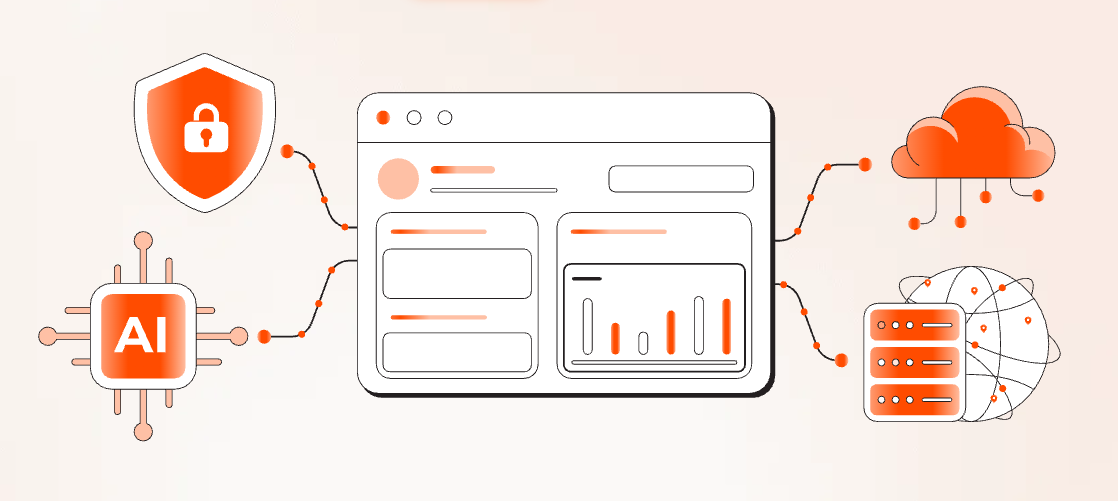
After deploying Cloudflare you may find that international visitors have a good experience, while customers in Mainland China regularly report slow page loads. Or perhaps the website opens without any issues, but certain functions, such as login, data retrieval, or file uploads, remain unreliable. When looking for an alternative, the real question is: which specific problems will a replacement actually solve?
Several Cloudflare alternatives worth comparing include Gcore, CDN07, bunny.net, EdgeNext, and Sucuri. Each takes a different approach. Some focus primarily on content delivery, others emphasize network connectivity and DDoS protection, while some concentrate on website security. They should not be treated as interchangeable simply because they all offer CDN-related services.
Before choosing a replacement, define exactly what you intend to migrate. This determines which provider to contact, which products to purchase, and which existing configurations must be carried over.
You May Be Replacing More Than Just Your CDN
For many websites, Cloudflare handles several functions at once, including DNS management, HTTPS termination, caching, security rules, and request forwarding. The longer a website relies on these services, the easier it becomes to overlook individual features that have become part of its infrastructure.
For example, Cloudflare may be handling HTTPS redirects that the website application does not implement itself. Certain URL paths may rely on edge rules to forward requests to another server. Your application may also identify visitor IP addresses using request headers added by Cloudflare.
If these functions are not accounted for during migration, the homepage might load normally after the DNS changes while other parts of the application stop working correctly.
| Reason for Switching | Capabilities to Look For | Commonly Overlooked Details |
|---|---|---|
| Poor access performance for users in Mainland China | Ingress and origin connectivity optimized for target users | Whether dynamic requests still travel over the same slow network paths |
| Unsatisfactory image, video, or download costs | Content delivery and pricing plans suited to the actual workload | Storage, request, origin traffic, and add-on service charges |
| Legitimate users frequently encountering challenges or blocked requests | Adjustable security rules and access to troubleshooting support | Exceptions for login requests, payment callbacks, and APIs |
| Ongoing attacks against the website | Protection mechanisms suited to the application's protocols and traffic patterns | Whether attackers can still bypass the CDN and connect directly to the origin |
| Increasingly complex caching, rewriting, and deployment rules | Request processing and caching capabilities that can replace the existing configuration | The matching order of existing rules and where they are executed |
This comparison focuses on candidate services using infrastructure outside Mainland China. Do not assume that a provider offering network coverage in Mainland China automatically allows unfiled domains to use every available location. Service regions, domain eligibility, and business approval requirements must be checked against the specific product you intend to purchase.
Five Cloudflare Alternatives: What Should You Compare?

1. Gcore: For Websites Managing Multiple Domains and Origin Servers
If your website already uses separate domains for images, downloads, and API traffic, migrating away from Cloudflare can also be an opportunity to reorganize your content delivery configuration.
Gcore's CDN resource configuration documentation organizes settings such as custom domains, origins, caching, certificates, and request headers into individual CDN resources. Domains requiring different configurations can use separate resources. This approach is worth considering for websites that have already separated their traffic across multiple service endpoints.
For example, an image domain might use longer cache lifetimes, while a download domain needs more careful handling of file updates and access authorization. An API domain, on the other hand, needs dynamic requests to reach the application. Defining these requirements separately before configuring the new platform makes the migration easier to review than simply copying a single set of site-wide rules.
Gcore is worth evaluating with a detailed configuration checklist. Identify your origin servers, determine which requests require Host header overrides, list the response headers that must be preserved, and document your caching exceptions.
If your current setup also relies on Cloudflare Workers or other application services, treat those as separate migration tasks. Creating a new CDN resource does not automatically replace the application logic running at the edge. Security requirements must also be mapped to the services actually included in your subscription. Do not assume that every capability listed in the product catalog is part of the standard CDN offering.
2. CDN07: For Websites That Need Both Mainland China Connectivity and DDoS Protection
If the main reason for leaving Cloudflare is unreliable access for users in Mainland China connecting to an overseas origin, combined with recurring DDoS or application-layer attacks, global content delivery is only part of the requirement.
These websites need to evaluate two separate network paths: how users connect to the CDN and how the CDN forwards dynamic requests to the origin. Security policies must also account for actual application behavior. There is little value in delivering images successfully if legitimate login requests are repeatedly blocked.
CDN07's DDoS-protected CDN service offers Hong Kong network connectivity for access from Mainland China, DDoS and application-layer attack protection, and configurable edge locations, bandwidth, and security policies, together with technical support in Chinese. For teams that frequently need to troubleshoot API errors, origin timeouts, and attack mitigation, these capabilities should all be included in the evaluation and testing process.
We recommend starting with the specific problems your infrastructure is experiencing. Common examples include:
- A membership website loads normally for public pages, but authenticated users frequently experience timeouts;
- An e-commerce website operates normally under regular traffic, but legitimate API requests become mixed with malicious traffic during promotional events;
- An enterprise application serves customers in Mainland China, but relocating its overseas origin infrastructure is not practical;
- A website faces sustained attacks and needs stronger protection without disrupting legitimate registration and payment requests.
Each situation calls for a different configuration. Start by reviewing the unfiled-domain DDoS-protected CDN solution and provide details about your origin location, the networks used by your primary visitors, and when the problems occur.
To compare how well the two services fit your requirements, you can also review CDN07 vs. Cloudflare: Which Service Fits Your Website? This can help identify which existing functions need to be retained and which access issues must be resolved before migration.

3. bunny.net: For Separating Content Delivery Costs from Security Spending
Some websites do not need to move entirely away from Cloudflare. They simply want another delivery service for images, frontend assets, or other publicly accessible resources. bunny.net is worth considering for this type of setup.
Its CDN uses a usage-based pricing model and is complemented by the Bunny Shield security product. According to the Bunny Shield feature overview , you can evaluate capabilities such as WAF protection, rate limiting, and DDoS mitigation. However, check which features are actually included in the plan you select. Including both content delivery and security configurations in the same budget comparison provides a more realistic picture than looking at the CDN rate alone.
For a content website with an established backend, you can start by moving the asset domain while keeping the primary website domain unchanged. This makes it easier to determine whether the new service improves image and script delivery while reducing the troubleshooting complexity associated with changing too many components at once.
If you decide to migrate the primary website endpoint as well, you will need to recheck login requests, uploads, dynamic pages, and security rules. Successfully connecting an asset domain only confirms that one part of the delivery path is working.
This option is worth considering for teams that prefer managing their own configurations and want to evaluate costs based on actual usage. Before purchasing, check the rates for your primary traffic regions. Do not estimate your total delivery costs using the lowest rate shown on the pricing page.
4. EdgeNext: For Evaluating Overseas Delivery Options for Users in Mainland China
If your international traffic already performs well and your primary concern is improving the experience for users in Mainland China, look for a product specifically designed for that requirement. There may be no need to replace your entire global network.
In its RIM Delivery solution overview , EdgeNext lists delivery options that serve users in Mainland China through networks in Hong Kong and Taiwan, including options for customers without an ICP filing. This provides a more specific starting point for evaluating the service: ask which workloads the overseas delivery solution can support instead of simply asking whether a global CDN is fast in China.
During the evaluation, provide your main visitor locations, content types, and origin server location. Ask the provider to explain how the proposed solution handles each type of request. A website serving mostly static public content may require a different configuration from an application that relies heavily on real-time API calls.
You should also clarify how the RIM solution relates to other products. Determine whether dynamic content acceleration, security protection, logging, and technical support are included or require separate purchases.
This type of solution is best evaluated against a clearly defined regional performance requirement. Whether it is worth replacing your existing service depends on measurable improvements for your target users and the additional costs involved. The presence of network locations geographically close to Mainland China is not, by itself, proof of better performance.
5. Sucuri: For Websites Focused on CMS Security, Malicious Requests, and Ongoing Maintenance
If your website runs WordPress or another CMS and you are looking for a replacement because of persistent backend scanning, repeated malicious login attempts, or a lack of in-house security maintenance resources, Sucuri is worth evaluating separately.
Sucuri's Website Firewall combines a cloud-based website firewall with CDN caching. Requests are routed through the firewall by changing DNS records, and the service includes security capabilities such as virtual patching. Virtual patching blocks requests that attempt to exploit specific vulnerabilities before they reach the website. It does not mean that the affected plugins or application code on your origin server have been updated.
Its evaluation criteria differ from those of a conventional traffic-focused CDN. Pay attention to how access to the website's administrative interface is controlled, whether forms and plugin requests remain compatible, and what support is available when a security incident occurs.
When purchasing, distinguish between the firewall and CDN product and broader platform plans that include scanning or malware cleanup. If you need cleanup services, make sure they are explicitly included in the purchase scope. Do not assume that every service offered by the same provider comes with every plan.
Sucuri can be a suitable alternative for websites prioritizing application security. However, if your primary objective is to improve access for users in Mainland China, network performance must be evaluated separately. Security features alone do not establish that a service will deliver faster access.
You Do Not Have to Migrate the Entire Website to Replace Specific Capabilities
Once you have identified potential providers, consider three different migration approaches.
Move only the asset domains. This approach works well for websites whose main concerns involve images, videos, or downloadable files. Keep the primary website domain unchanged and test the new delivery service first. The trade-off is that you will need to manage two sets of related configurations and distinguish between their respective request paths during troubleshooting.
Move website proxy traffic while keeping your existing DNS provider. This is suitable when you want to replace the website's delivery endpoint but have no reason to change your authoritative DNS provider at the same time. DNS tells clients where to connect, while the website proxy processes the actual traffic. These functions can be handled by different providers.
Migrate dependent services and features together. If your website relies heavily on edge applications, authentication, custom routing, or storage services, treat the project as an application migration. Changing DNS records alone cannot replace these dependencies.
Cloudflare's DNS proxy status documentation distinguishes between Proxied and DNS only records. The latter provides DNS resolution without routing the corresponding HTTP traffic through Cloudflare's proxy. As a result, keeping Cloudflare as your DNS provider does not necessarily mean you must continue using its website proxy.
If your new provider supports CNAME-based integration, configure it according to the provider's instructions. For apex domains, check whether your DNS platform and the new CDN support the required integration method. Do not delete unrelated records, such as those used for email or domain verification, simply because you are migrating a website record.
Four Configurations to Check Before Switching
Origin Certificates: Cloudflare Trusting a Certificate Does Not Mean Your New CDN Will
The HTTPS connection between the browser and the CDN is separate from the HTTPS connection between the CDN and the origin. Configuring the website certificate on the new platform does not guarantee that the origin certificate will be accepted for origin connections.
In its Origin CA documentation , Cloudflare notes that when proxying is disabled, browsers connecting directly to an origin server using an Origin CA certificate may encounter an untrusted certificate error. Similarly, you should not assume that a new CDN provider automatically trusts this type of certificate.
Before migration, verify the origin certificate's issuing authority, covered domain names, expiration date, and the validation method used by the new CDN. Depending on the deployment, you may need to install a certificate trusted by the new CDN or configure a trust relationship explicitly supported by the platform.
Disabling certificate validation is not an acceptable substitute for a proper solution. A successful HTTP response alone does not prove that the origin connection is being authenticated correctly.
Origin Access Controls: Allow the New CDN to Connect Without Losing Your Rollback Options
If your origin server only allows connections from Cloudflare's origin-facing IP addresses, requests from the new CDN may be rejected outright. A common symptom is that the new platform reports a connection failure even though the origin application itself appears to be operating normally.
Before switching, verify the new provider's origin IP ranges or authentication requirements. Establish and test the new connection first, then tighten access to the old endpoint according to your migration plan. Keeping the necessary permissions for both providers during the transition makes rollback easier, but the temporary access rules should have a clearly defined expiration date.
If your previous configuration used mutual TLS or another form of client certificate authentication for origin connections, review those settings as well. Allowing network-level access alone may not satisfy the original authentication requirements.
Visitor IP Addresses: Your Application May Still Be Reading Cloudflare-Specific Headers
When a website operates behind a proxy, the origin server's direct network connection usually shows the IP address of the proxy node. The application needs a trusted proxy configuration to recover the original visitor IP address.
Cloudflare's HTTP request header documentation explains fields such as CF-Connecting-IP. After changing CDN providers, update your application and logging configurations to use the visitor IP information supplied by the new provider. Do not assume that the old Cloudflare-specific headers will still be present.
Otherwise, your rate-limiting system might identify a large number of legitimate visitors as coming from the same IP address, or your security logs may no longer be able to correlate requests accurately.
You should also trust these forwarded IP headers only when they originate from your configured proxy infrastructure. Allowing arbitrary clients to submit their own supposedly genuine IP address in a request header undermines the reliability of both access controls and security logs.
Caching and Request Rules: A Page That Looks Normal Can Still Be Broken
During migration, review the following settings:
- Which pages can be safely cached and shared, and which contain personal account information;
- Whether query parameters are included in the cache key;
- How cookies and authorization information are handled;
- Which service handles HTTPS redirects, URL rewriting, and cross-origin response headers;
- Whether login, uploads, payment callbacks, and persistent connections require special rules.
Authenticated pages deserve particular attention. A successfully loaded homepage does not prove that account isolation, order information, and API permissions are working correctly.
Even when the new platform offers features with the same names as the old ones, do not assume their execution order or behavior is identical. Verify the actual results using requests against critical application paths.
How to Test the New CDN Before Changing Public DNS Records
If the new CDN has been configured with your domain, certificate, and origin server, and the provider supplies an entry IP for testing, you can verify the connection locally before changing public DNS records.
The following example is intended for macOS or Linux terminals. example.comshould be replaced with your domain. 203.0.113.10is a placeholder address and must be replaced with the test endpoint IP supplied by your CDN provider:
curl --noproxy '*' \
  --resolve example.com:443:203.0.113.10 \
  --connect-timeout 10 \
  --max-time 30 \
  -sS -o /dev/null \
  -w 'HTTP=%{http_code}\nEntry IP=%{remote_ip}\nTime to first byte=%{time_starttransfer}s\nTotal time=%{time_total}s\n' \
  https://example.com/
As described in the curl documentation for --resolve this option lets you specify the connection address for a particular hostname and port while preserving the hostname in the URL for the HTTP request and TLS connection. It is useful for local testing before public DNS changes, provided the new CDN supports this testing method.
Pay particular attention to the following results:
- Entry IP: Should match the endpoint you intended to test. If it does not, check your test configuration first.
- HTTP status code: Should match the expected behavior of the page. A redirect to the login page is not necessarily an error, and a 403 response does not automatically indicate a network failure.
- Certificate errors: Check the certificate's domain coverage, certificate chain, and endpoint configuration. Do not simply bypass the error.
- Time to first byte: Includes connection and response-waiting time. It should not be interpreted as the processing time of the origin application alone.
This command tests a single request. It does not execute page scripts or represent the complete page-loading experience. Before going live, use a browser and your actual application clients to test operations such as login, data retrieval, and uploads.
If your provider offers a dedicated test domain or another preview mechanism, follow the provider's instructions and use that method whenever possible.
How Do You Know Whether Switching Is Worth It?
The most useful comparison is between your current configuration and the specific configuration you plan to purchase. Comparing a free service with a customized enterprise solution based only on price or the number of edge locations is unlikely to produce a meaningful conclusion.
Define three acceptance criteria before starting the evaluation:
Has the original problem actually improved? If users complain about login timeouts, compare login performance and the related API endpoints. If access is unreliable on certain networks in Mainland China, retain regional and carrier-level measurements rather than relying on global averages alone.
Are all critical functions still working? Check redirects, certificates, visitor IP addresses, security policies, caching, and application callbacks. A successful homepage load should never be the only acceptance criterion for a CDN migration.
Are the additional costs and maintenance requirements acceptable? Break down content delivery, security features, support services, and origin-related expenses separately. For DDoS-protected CDN solutions, use this guide to evaluating DDoS-protected CDN plans and additional charges to clarify normal traffic usage, protection specifications, and how overages are handled.
Complete a limited deployment and validate the results before migrating your primary traffic. Keep the old configuration, certificates, and necessary access permissions available until the observation period is over. This ensures that you have a practical rollback option if something goes wrong.
Frequently Asked Questions
Will switching to a CDN that supports unfiled domains automatically make Cloudflare access faster in Mainland China?
No. A new CDN may improve the network path, but if the main bottleneck is application processing, database performance, or a third-party API, changing the delivery endpoint alone may not help. Run comparative tests against the requests that originally experienced slowdowns.
Do I have to change my domain's NS servers to replace Cloudflare?
Not necessarily. You can keep your existing authoritative DNS provider and update only the website records so that requests are routed through the new CDN. Whether an NS change is necessary depends on the new provider's integration requirements and whether you also intend to migrate DNS management.
Can I use Cloudflare and another CDN at the same time?
Yes. Different providers can handle different domains or workloads, and a properly designed multi-CDN architecture is also possible. However, avoid chaining two proxy services together without careful planning. Doing so can make caching, visitor IP identification, certificate management, and security validation considerably more complicated.
Can I keep my existing Cloudflare Origin CA certificate?
Check whether the new CDN supports the certificate and whether the corresponding trust configuration has been set up correctly. Do not assume that the certificate is trusted by the new platform or by browsers. Its domain coverage, validity period, and origin validation requirements must also match the new deployment.
Do I need to change CDNs just to reduce the number of security challenges shown to legitimate users?
Not necessarily. First identify which security rule, rate limit, or challenge policy is being triggered. If adjustments still cannot provide an acceptable balance between application usability and protection, compare the rule management capabilities and support offered by alternative providers.
Which alternative should I choose if my website does not have an ICP filing?
Start by confirming that the service uses locations outside Mainland China and checking the domain and workload eligibility requirements. Asset delivery, full-site proxying, regional connectivity solutions for users in Mainland China, and DDoS protection address different problems. Prioritize the product that covers your actual technical requirements and current performance issues.
Start Your Migration with One Clearly Defined Requirement
When choosing a Cloudflare alternative, keep four principles in mind:
- Identify exactly which functions you need to replace so that existing service dependencies are not overlooked.
- Evaluate the specific configuration you intend to purchase using real users and actual application traffic.
- Check certificates, origin access permissions, visitor IP handling, and caching rules before switching.
- Maintain a rollback plan and expand the migration gradually after successful testing.
If your main requirement is to serve users in Mainland China from an overseas origin while also addressing DDoS and application-layer attacks, you can contact CDN07 for an integration consultation and provide your domain, origin location, primary visitor regions, and the specific issues you are experiencing. Evaluating the actual network paths and application requests is the most reliable way to determine whether a new solution is worth replacing your existing service.
Share this post:
Related Posts
DDoS-Protected CDN Providers for Online Card and Board Games: How to Choose for the Long Term?
Online mahjong, Texas Hold’em, Three-Card Poker, Niu Niu, banker-versus-player games, and chess plat...

CDN Without an ICP Filing: Self-Hosted vs. DDoS-Protected Services
Compare self-hosted CDNs with DDoS-protected CDN services that accept domains without a Mainland Chi...

Origin IP Changed? How to Keep It Hidden Behind a DDoS-Protected CDN
Even after changing your origin IP and adding a DDoS-protected CDN, subdomains, IPv6, email, or old...